AbuseIPDB
Show an IP's AbuseIPDB score in the inspector, report IPs to AbuseIPDB from the IP actions menu, and mark IPs on AbuseIPDB's blacklist.
AbuseIPDB is a public database of IPs that people have reported for abuse. GeoMetrikks uses it three ways, each with its own setting:
- With an API key, the IP inspector shows the address's AbuseIPDB score.
- With reporting on, the IP actions menu has Report to AbuseIPDB…, which sends a report with your key.
- With the blacklist on, GeoMetrikks downloads AbuseIPDB's blacklist, or reads a copy you already download, and marks the IPs on it.
Without a key, the IP inspector still links to the address's page on abuseipdb.com. The only other feature that works without one is a blacklist file.
Set it up
Sign up at abuseipdb.com and create an API key on the API tab of your account page. Then add the settings you want to .env:
ABUSEIPDB_API_KEY=your-key
ABUSEIPDB_REPORTING_ENABLED=true
ABUSEIPDB_BLACKLIST_ENABLED=true
Run docker compose up -d to apply them.
| Setting | Default | What it turns on |
|---|---|---|
ABUSEIPDB_API_KEY | none | The score in the IP inspector and the Check button in a report. |
ABUSEIPDB_REPORTING_ENABLED | false | Report to AbuseIPDB… in the IP actions menu, the Reports tab on the Security page, and the report API. |
ABUSEIPDB_BLACKLIST_ENABLED | false | The blacklist download and the AbuseIPDB blacklist marks. |
ABUSEIPDB_BLACKLIST_FILE | none | A blacklist file to read instead of downloading one. |
ABUSEIPDB_BLACKLIST_REFRESH_HOURS | 24 | Hours between blacklist downloads, from 6 to 36. |
ABUSEIPDB_REQUEST_TIMEOUT | 10 | Seconds before a request to AbuseIPDB gives up. |
Reporting needs the key. The blacklist needs the key or a file. Without them, startup fails with ABUSEIPDB_REPORTING_ENABLED requires ABUSEIPDB_API_KEY or ABUSEIPDB_BLACKLIST_ENABLED requires ABUSEIPDB_API_KEY or ABUSEIPDB_BLACKLIST_FILE. An empty ABUSEIPDB_API_KEY= or ABUSEIPDB_BLACKLIST_FILE= counts as unset. The configuration reference lists the first four settings under AbuseIPDB and the last two under Advanced tuning.
The score in the IP inspector
The inspector's header always links to the address's page on abuseipdb.com. Your browser opens that page only when you click the link, and the server sends nothing.
With ABUSEIPDB_API_KEY set, opening a public IP in the inspector also asks AbuseIPDB for its score. A badge in the header shows the confidence score and the number of reports, and adds Tor or whitelisted when AbuseIPDB says so. The badge is gray below 25%, amber from 25% and red from 75%. Hover it, or tap it on a phone, for the number of users who reported the address, when it was last reported and its usage type.
Each lookup spends one of your daily AbuseIPDB checks. GeoMetrikks keeps each answer for 15 minutes, so opening the same IP again within that time usually costs nothing. The cache holds the 512 most recently checked IPs, so an IP pushed out by newer checks costs a check again, and a restart empties it. A private or reserved address, such as one in 192.168.0.0/16, gets no badge and no lookup. If the lookup fails, the badge becomes Retry AbuseIPDB check with the error next to it.
Report an IP
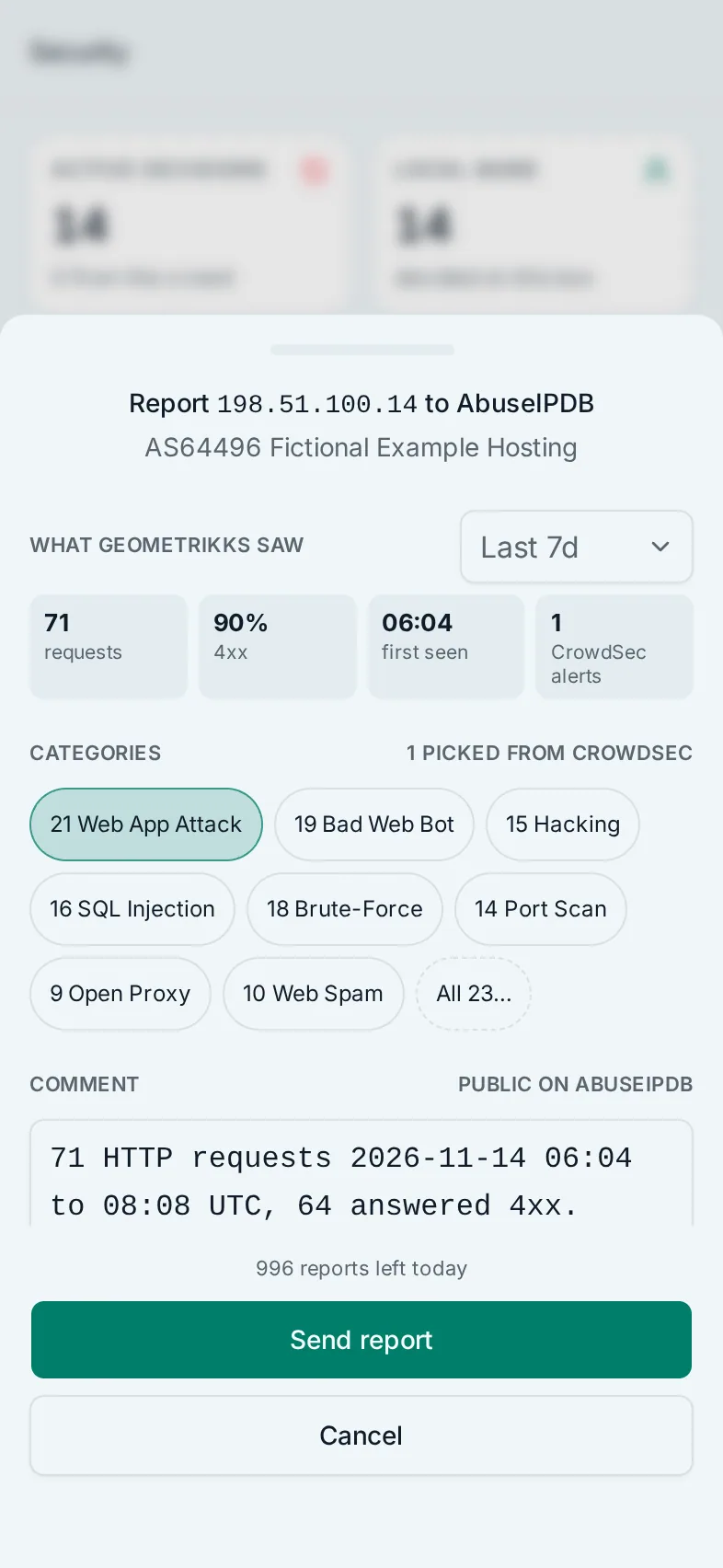
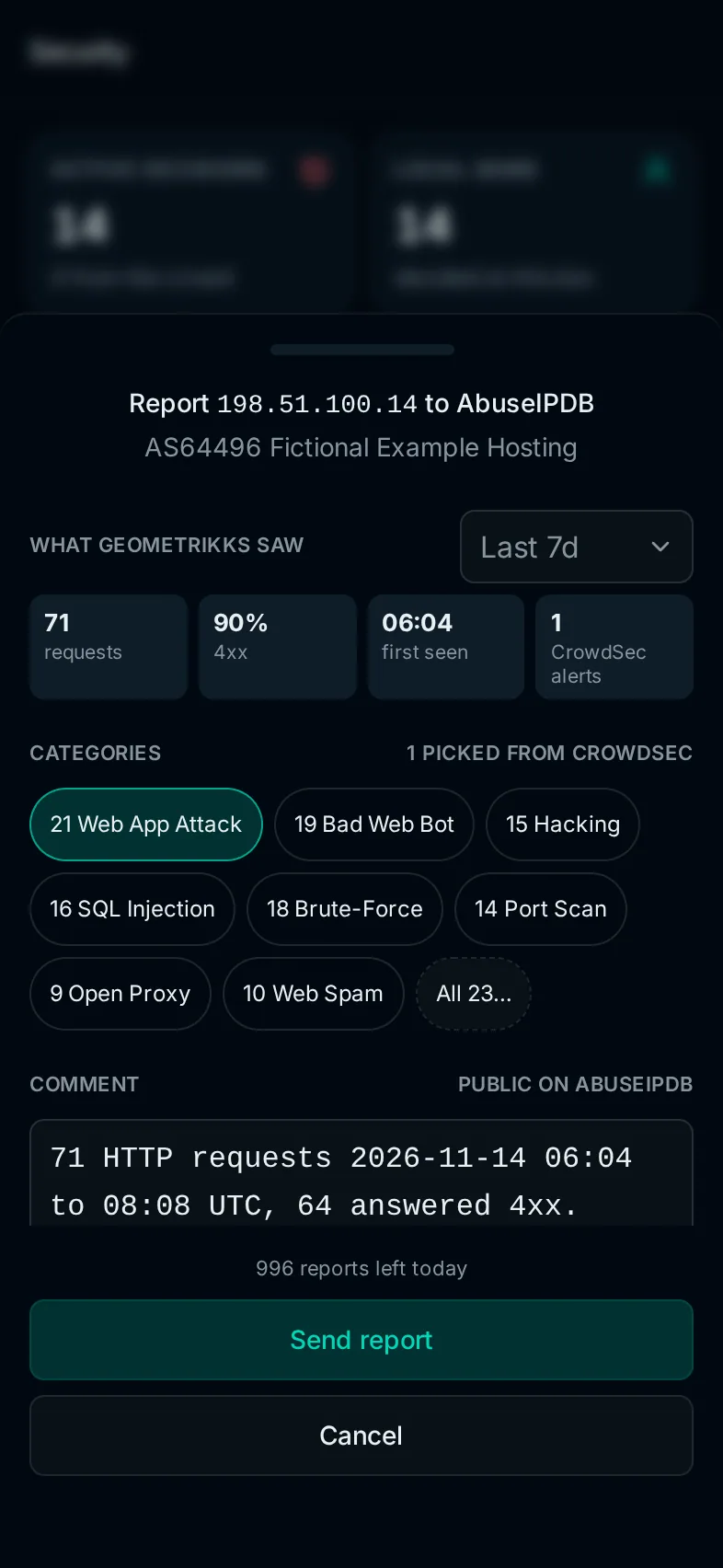
With ABUSEIPDB_REPORTING_ENABLED=true, the IP actions menu has Report to AbuseIPDB…. The menu sits after every IP in a table, and in the footer of record sheets such as an access log row's details. The IP inspector page covers the rest of the menu. On a phone the report opens as a drawer.
AbuseIPDB publishes every report on the IP's page, with its categories, comment and attack time. Read the comment before you send it.
What the report starts with
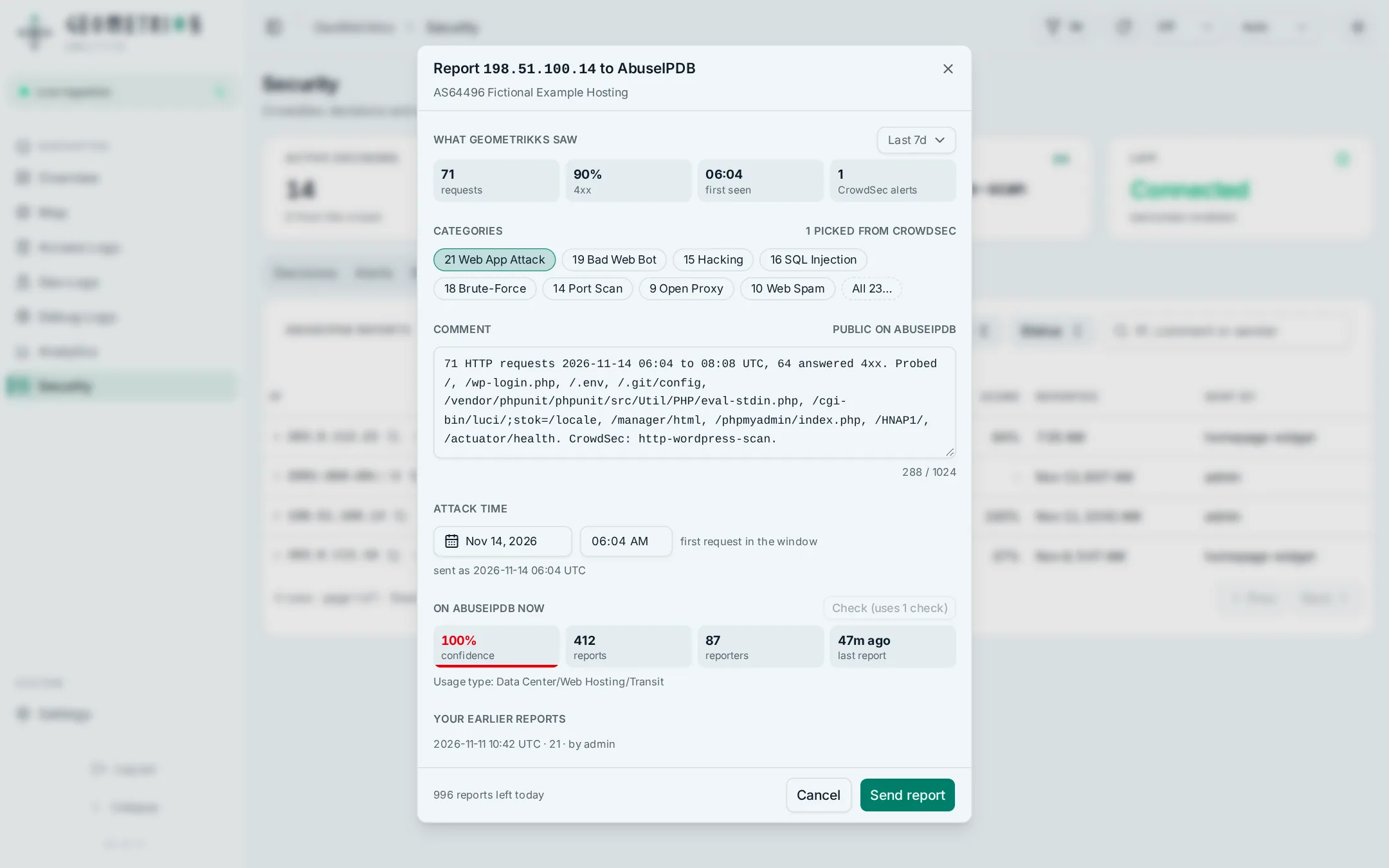
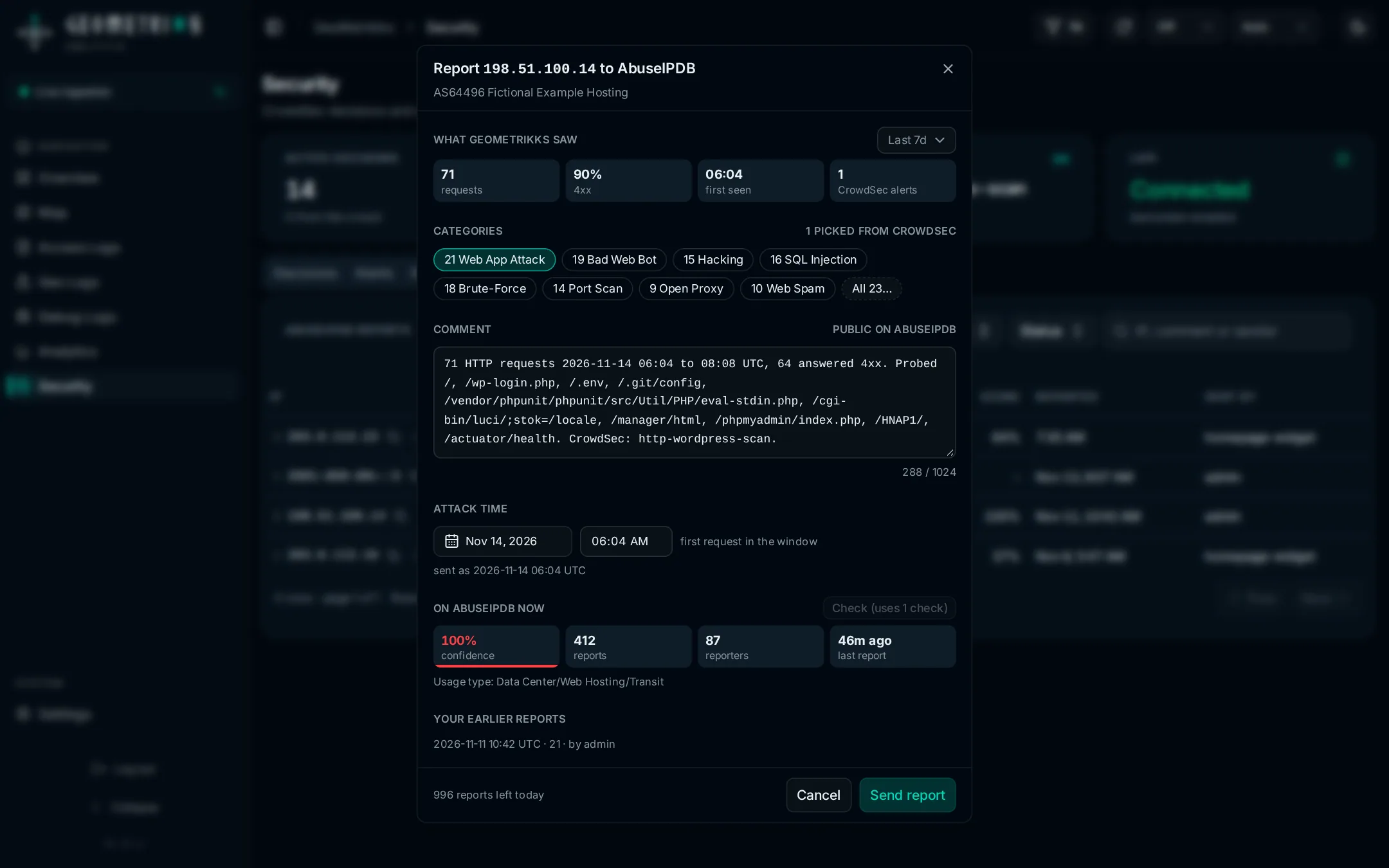
The report is built from what GeoMetrikks saw from the IP over a time window. The window starts as the page's time range, and the selector next to What GeoMetrikks saw changes it. The report shows the IP's requests, its share of 4xx answers, its first request and its CrowdSec alerts in that window. It fills in three fields, and you can edit each one:
- Categories. GeoMetrikks picks AbuseIPDB categories from the CrowdSec scenarios behind the IP's alerts and decisions. An SQL injection scenario picks SQL Injection and Web App Attack, an SSH scenario picks SSH and Brute-Force, and so on. With no matching scenario it picks Bad Web Bot and Web App Attack. The picks come first in the row, followed by the rest of the eight common categories, and All 23… shows the others. A pick outside the eight, such as SSH, still shows without All 23….
- Comment. The request count, the time span and the 4xx count, the paths that got an error answer, the busiest user agent and the CrowdSec scenario names, cut to fit AbuseIPDB's 1,024-character limit. It comes from the same evidence as an abuse report, so your hostnames and your server's address are scrubbed. The line under the comment counts what was scrubbed. The redaction rules say what it can miss.
- Attack time. The IP's first request in the window, or its first CrowdSec alert when it sent no requests. You pick the date from a calendar and type the time, both in your browser's time zone, and the line under them shows the UTC time that goes to AbuseIPDB. GeoMetrikks refuses a time in the future.
Changing the window after you edit a field asks before it throws your edits away.
Your earlier reports of the IP are listed under the form, with time, categories and who sent each one. The footer shows how many reports your AbuseIPDB plan has left today, once AbuseIPDB has answered a report since the server started.
Check
The report has a Check button. It asks AbuseIPDB for the IP's current score, report count, number of reporters, last report and usage type. The answer shows as four tiles under On AbuseIPDB now, like the ones under What GeoMetrikks saw: the confidence score, colored like the inspector badge and with a bar that fills to it, the reports, the reporters, and how long ago the last report came. Usage type, Tor and whitelisted go on a line under the tiles when they apply. Nothing goes to AbuseIPDB until you press it. A check spends one daily check, unless the same IP is still in the 15-minute cache.
One report per IP every 15 minutes
AbuseIPDB takes one report of an IP every 15 minutes, and GeoMetrikks enforces the same limit for all users and API keys together. In the 15 minutes after a report, the menu item is disabled and reads "again in 12 min" or similar, and the report's Send button stays disabled.
After that, the menu item shows the IP's last report from the last 90 days, such as "reported 2 h ago", or "may have been sent 2 h ago" for an unconfirmed report. On an IP that isn't public it is disabled and reads "not a public address".
Who can report
GeoMetrikks has one kind of user and no roles, so anyone signed in can report, with the password login or with OpenID Connect. A script needs a Read/write API key; a Read key gets a 403. With APP_AUTH_DISABLED=true, anyone who can reach the app can report, and the Reports tab names the sender as "auth disabled".
What GeoMetrikks keeps
GeoMetrikks stores every report it sends in its database: the IP, the categories, the comment, the attack time, when it was sent, the confidence score AbuseIPDB answered with, and who sent it. Who sent it is the username, or the API key's name.
The record is written before the request goes out. When AbuseIPDB accepts the report, the record becomes Sent. When AbuseIPDB refuses it, or the server can't connect at all, GeoMetrikks deletes the record, because nothing was published. When the answer doesn't settle it, such as a timeout after the request left, the record stays Unconfirmed, because the report may have been sent. An unconfirmed report still counts toward the 15-minute limit.
The app log gets an abuseipdb_report_sent line for each sent report, with the IP, the categories, the score, the kind of sender and the comment's length, and an abuseipdb_report_failed line with the reason for each failure. Settings > Logs shows them.
The blacklist
AbuseIPDB's blacklist lists IPs with a 100% confidence score. With ABUSEIPDB_BLACKLIST_ENABLED=true, GeoMetrikks downloads up to 10,000 of them every ABUSEIPDB_BLACKLIST_REFRESH_HOURS hours, 24 by default, and keeps the public addresses.
An IP on the list gets the same dashed red outline as an IP on a Spamhaus DROP list, wherever the app shows it as a label, in tables and in map popups. A CrowdSec decision is a red fill, so a banned listed address shows the fill inside the outline. An address on both lists gets one outline, and the tooltip names both.
An AbuseIPDB blacklist mark, red text in a red ring with a shield icon, names the listing in:
- the IP inspector's header;
- the IP actions menu's header, and the ban drawer it opens on a phone;
- record sheets, such as an access log row's details;
- map popups about one IP, such as a banned IP's details and a live request's details.
Hover or tap the mark for what it means. In a map location's top IPs, the line under a listed address starts with On AbuseIPDB blacklist, and clicking the address explains the listing with a link to the address's page on abuseipdb.com.
The abuse report dialog notes when the address is on the list, or how many of the addresses an AS report lists are. The report text and CSV leave the listing out.
The scheduler runs the download, so it needs SCHEDULER_ENABLED=true, the default. The first run comes a minute after startup, and skips the download when the stored list is younger than the refresh interval. A download is never tried again within 5 hours of the last attempt, since free plans get 5 blacklist calls a day. Run now on Settings > Scheduler follows the same rule. Only the full instance downloads the list, never an agent.
A failed download keeps the previous list, logs abuseipdb_blacklist_refresh_failed with the reason, and marks the AbuseIPDB blacklist refresh job as failed on Settings > Scheduler. When the newest list is more than 72 hours old, GeoMetrikks stops showing it and logs abuseipdb_blacklist_expired. The marks come back with the next good download. AbuseIPDB requires a downloaded list to be kept current or dropped.
The list is for your own use. AbuseIPDB's terms forbid republishing it, and free plans can't be used commercially.
Use a blacklist you already download
If a script or cron job of yours already downloads the blacklist, GeoMetrikks can read that file instead of spending one of your daily blacklist calls. Mount the file's folder into the app container and point ABUSEIPDB_BLACKLIST_FILE at it:
services:
  app:
    volumes:
- /srv/abuseipdb:/app/data/abuseipdb:roABUSEIPDB_BLACKLIST_ENABLED=true
ABUSEIPDB_BLACKLIST_FILE=/app/data/abuseipdb/blacklist.jsonThe file can be in either of AbuseIPDB's formats:
- the JSON answer from
GET /api/v2/blacklist, saved as it came, on one line or many; - plaintext, one IP per line, as the
plaintextparameter or anAccept: text/plainheader returns it. Blank lines and anything after#are skipped, so lists with comments work too.
GeoMetrikks checks the file every 5 minutes and reads it again whenever its modification time changes. Have your job write to a temporary file in the same folder and mv it over the old one. If the job rewrites the file in place, as curl -o does, GeoMetrikks can read it halfway through a write and keep a short list, or fail to parse it, until the next check. GeoMetrikks never writes to the file, so a read-only mount works. The file needs no API key. ABUSEIPDB_BLACKLIST_REFRESH_HOURS and the 5-hour wait between attempts don't apply.
The 72-hour limit counts from the older of the list's generatedAt and the time the file was last written. Plaintext has no generatedAt, so only the write time counts. If your download job stops, the marks disappear 72 hours after its last good run. GeoMetrikks refuses a file whose modification time is more than 5 minutes in the future, since that list would never expire.
When the file is missing, unreadable, over 16 MB or holds no public IPs, GeoMetrikks keeps the previous list. The same goes for an AbuseIPDB error answer your job saved in place of the list. Each failure logs abuseipdb_blacklist_refresh_failed with the reason and the path, and marks the job as failed on Settings > Scheduler. From a longer list, GeoMetrikks keeps the first 100,000 IPs and logs abuseipdb_blacklist_file_truncated. The 16 MB limit comes first, and JSON takes about 110 bytes per IP, so save a list longer than about 150,000 IPs as plaintext or download it with limit=100000.
The Reports tab
With reporting on, the Security page has a Reports tab listing every report GeoMetrikks has sent, newest first. An IP reported twice appears twice. Each row has the IP with its actions menu, the categories, the score AbuseIPDB answered with, the time and who sent it. A report AbuseIPDB didn't confirm carries an Unconfirmed badge. Click a row for the comment and the attack time.
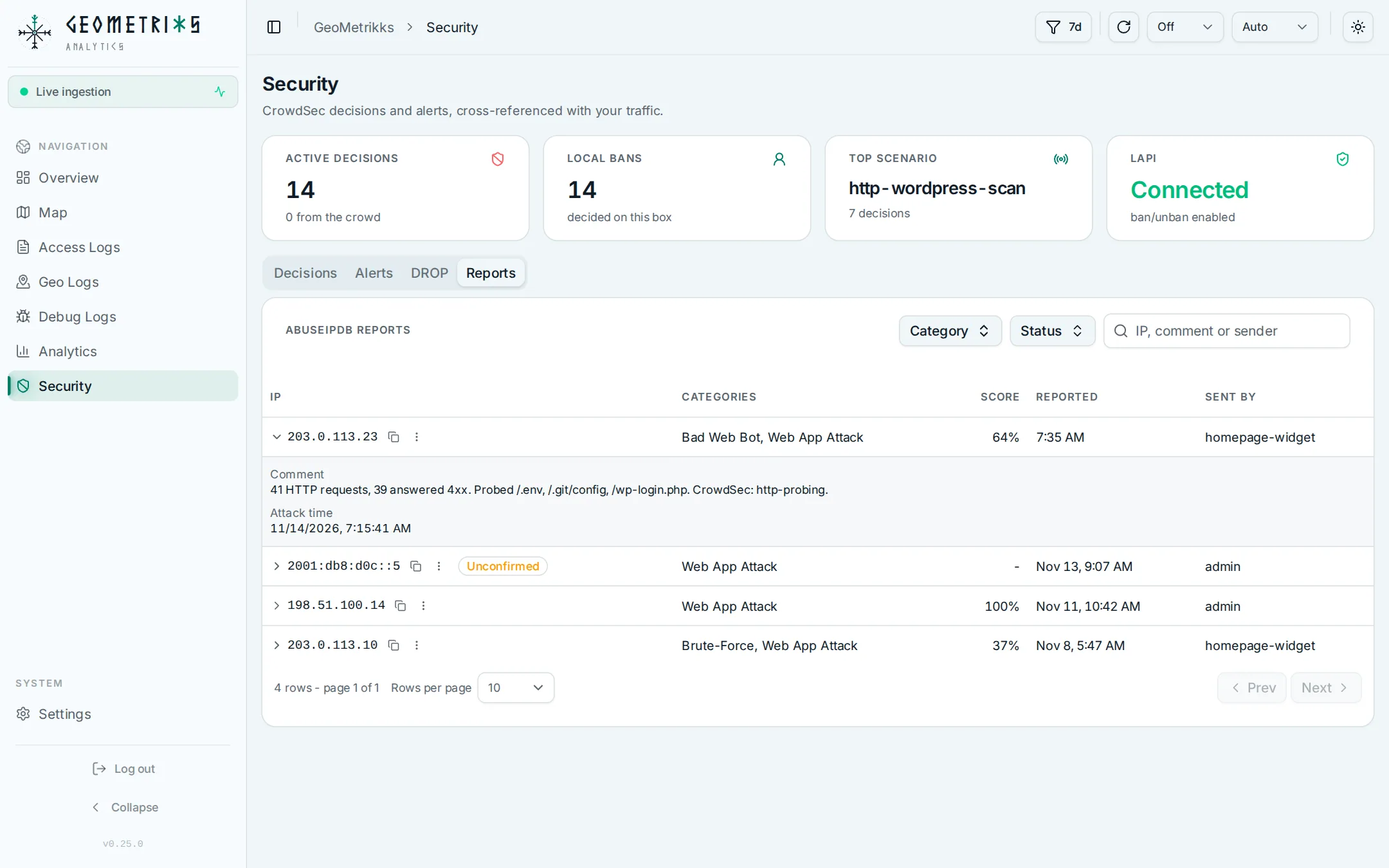
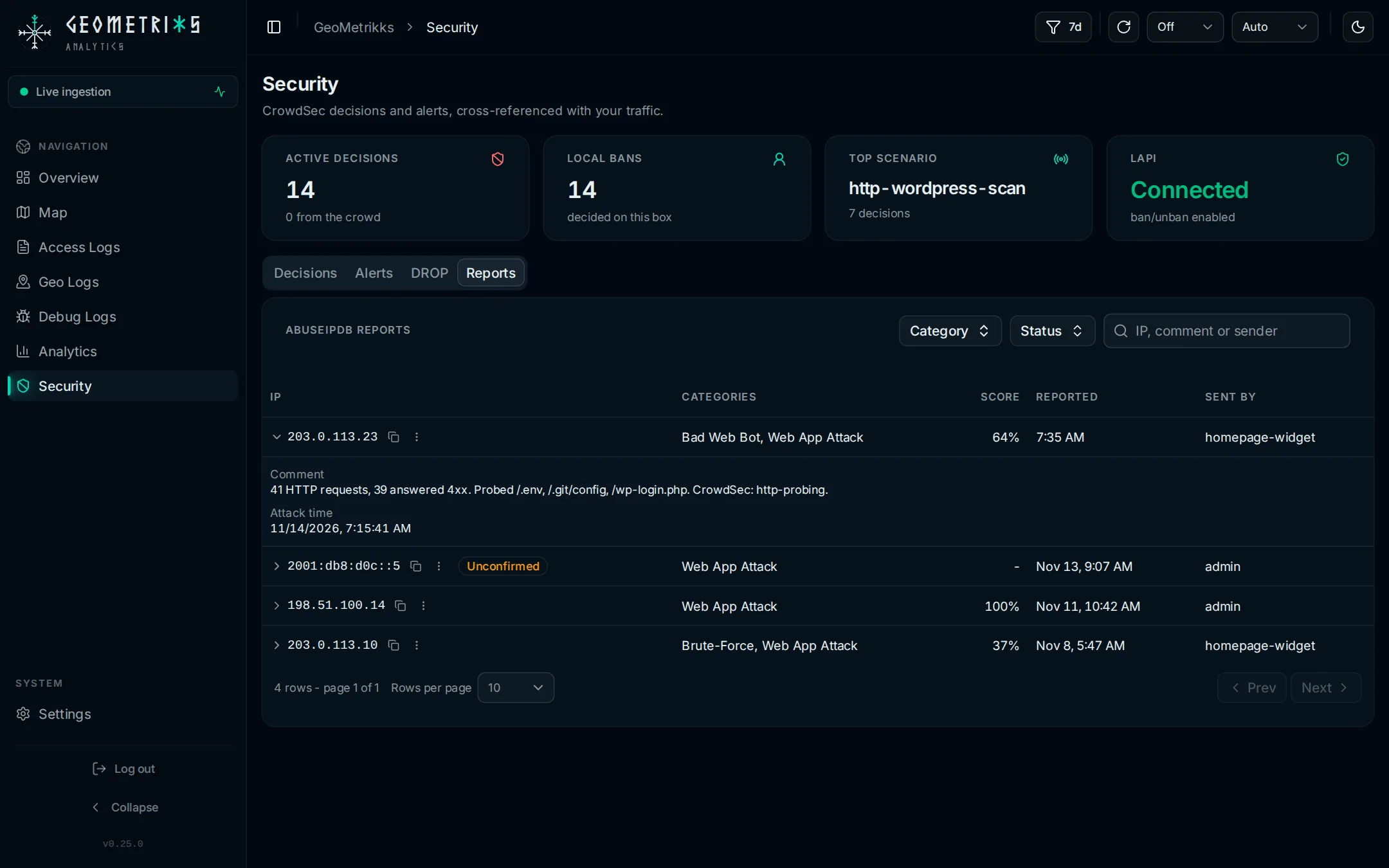
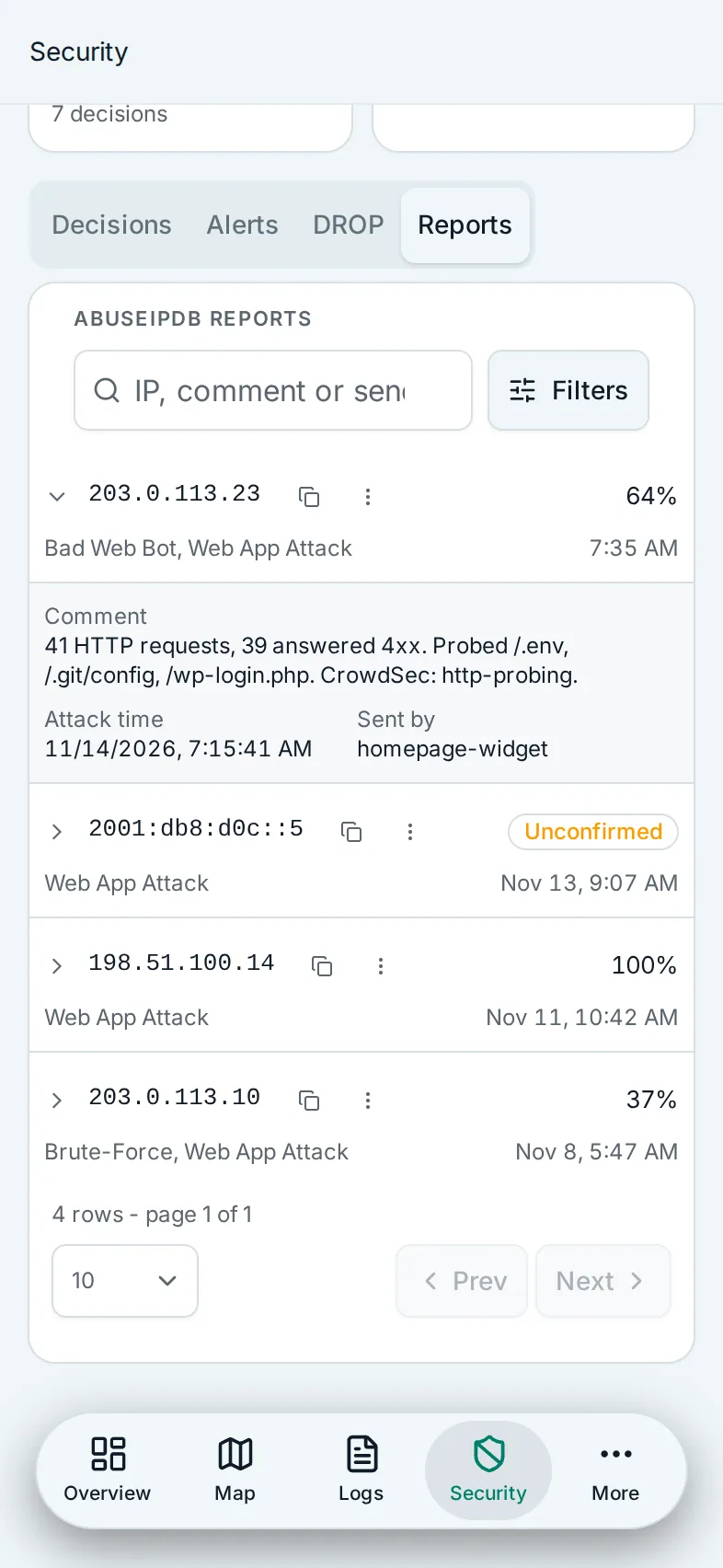
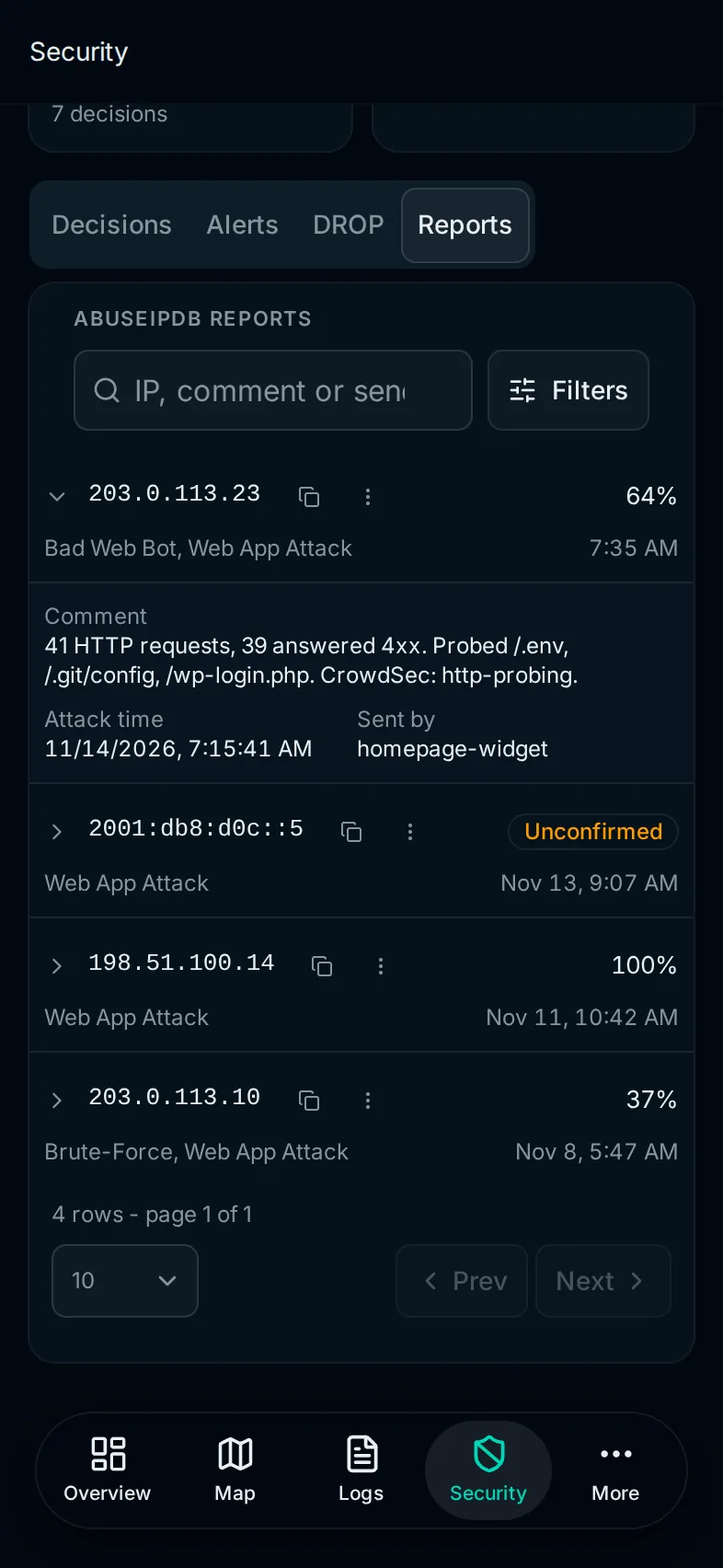
The search box matches the start of the IP, or part of the comment or the sender's name, ignoring case. The Category and Status filters each keep the reports that match any of the values you pick. On a phone both sit in one Filters drawer next to the search box.
What leaves your server
Every request goes to api.abuseipdb.com with your key.
| Feature | What it sends | When |
|---|---|---|
| Score | The IP | When someone opens a public IP in the IP inspector, presses Check in a report, or calls the check API. An IP still in the 15-minute cache isn't sent again. |
| Report | The IP, the categories, the comment and the attack time | When someone sends a report. AbuseIPDB publishes all four. |
| Blacklist | Nothing but the key, and nothing at all with ABUSEIPDB_BLACKLIST_FILE | Every ABUSEIPDB_BLACKLIST_REFRESH_HOURS hours |
Your browser opens the link to the IP's page on abuseipdb.com. The server never does. The outbound traffic table lists these requests with everything else the server contacts.
API
The AbuseIPDB endpoints are in the API reference under the AbuseIPDB tag. All of them take a session or an API key.
GET /api/v1/abuseipdb/statussays whether checks, reports and the blacklist are on, and the quota AbuseIPDB reported on its latest answer to a check and to a report.GET /api/v1/abuseipdb/checkreturns the score of the IP inipAddress. It spends a check like the inspector does, so a Read key can spend your checks too.POST /api/v1/abuseipdb/reportssends one report. It needs a Read/write key.GET /api/v1/abuseipdb/reportslists the reports of the IP inipAddress.GET /api/v1/abuseipdb/reports/historylists every report, paged, withq,categoryInandstatusIn.GET /api/v1/abuseipdb/reported-ipslists the IPs reported in the last 90 days with their latest report.GET /api/v1/abuseipdb/blacklistreturns the stored blacklist. It is empty when the blacklist is off, before the first download, and once the list is more than 72 hours old.
Only check and POST reports contact AbuseIPDB. The rest read the local database.
A report body holds exactly one report:
curl -X POST https://geometrikks.example.com/api/v1/abuseipdb/reports \
  -H "Authorization: Bearer gmk_..." \
  -H "Content-Type: application/json" \
  -d '{"reports": [{"ipAddress": "203.0.113.7", "categories": [19, 21], "comment": "Probed /wp-login.php and /.env.", "attackTime": "2026-11-12T08:30:00Z"}]}'
The address here is a documentation address, so the real endpoint answers it with a 400. Use a public IP.
Errors and limits
| What you see | Why | What to do |
|---|---|---|
| No Report to AbuseIPDB… in the menu, no Reports tab | ABUSEIPDB_REPORTING_ENABLED isn't true, or the container still has the old values | Set it, then run docker compose up -d |
| No score badge in the inspector | No key, or the IP isn't public | Set ABUSEIPDB_API_KEY. A private IP never gets a score. |
| AbuseIPDB's daily check limit is used up, followed by the reset time in UTC | Your plan's checks for today are spent | Wait for the reset time. The API answers 429, with a Retry-After header when AbuseIPDB sent one. |
| AbuseIPDB's daily report limit is used up, followed by the reset time | Your plan's reports for today are spent | The same, for reports |
| AbuseIPDB rejected ABUSEIPDB_API_KEY | AbuseIPDB refused the key | Check the key on your AbuseIPDB account page. The API answers 502. |
| Reported less than 15 minutes ago | The IP was reported from GeoMetrikks in the last 15 minutes | Wait. The API answers 429 with Retry-After in seconds. |
| AbuseIPDB did not confirm the report. It may have been sent, and GeoMetrikks recorded it as unconfirmed. | The request may have reached AbuseIPDB, but no clear answer came back | Look the IP up on abuseipdb.com before you send it again. The API answers 502 with code abuseipdb_unconfirmed. |
| Could not reach AbuseIPDB, or AbuseIPDB request failed | The server can't connect to api.abuseipdb.com, or the request timed out | Check the server's outbound network. The API answers 502 with code abuseipdb_failed. |
| AbuseIPDB's own error text | AbuseIPDB refused the request. A 422 refuses a field of the report. | Edit the report. The API answers 400 with code abuseipdb_rejected for a 422, and 502 with code abuseipdb_failed for any other refusal. |
| Reporting requires ABUSEIPDB_REPORTING_ENABLED=true and ABUSEIPDB_API_KEY | A report reached a server with reporting off | Turn reporting on. The API answers 403 with code abuseipdb_reporting_disabled. |
| AbuseIPDB requires ABUSEIPDB_API_KEY | A check reached a server without a key | Set the key. The API answers 404 with code abuseipdb_disabled. |
A private or malformed ipAddress gets a 400 with code invalid_ip and never reaches AbuseIPDB.